Introduction
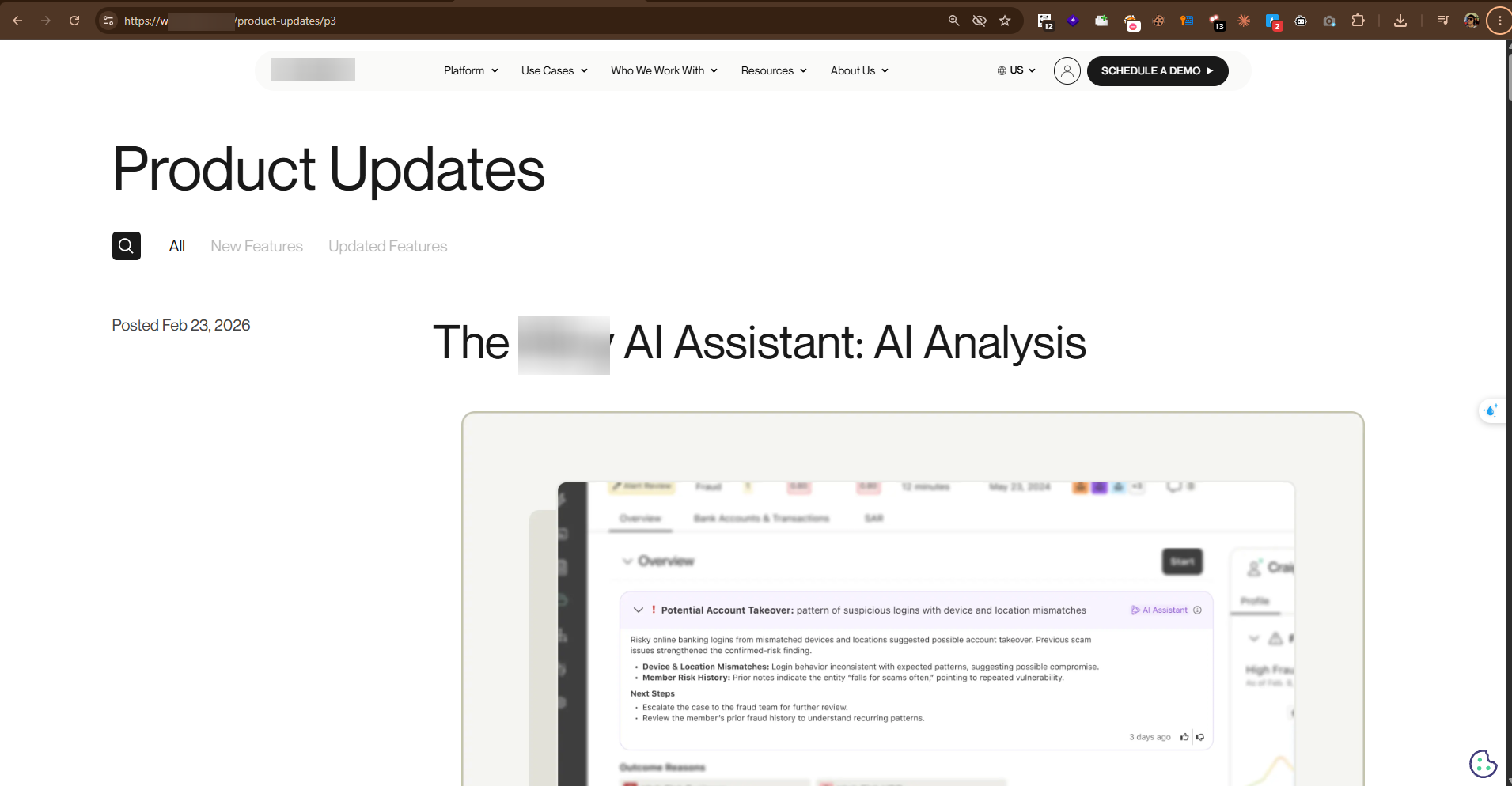
I've been hunting on this platform for a while now, and every time I come back to it I seem to walk away with something — usually a spicy logic bug. So when their YouTube channel dropped a notification about a big new "AI era" feature they'd just shipped — and I saw the same thing written up on their product updates page — I came back to poke at it.
First, a bit of context on what the platform does: it's the kind of identity tool companies use to check who their customers are when they sign up. Staff log in and review each applicant, but not everyone is allowed to see everything. An admin can decide, for example, that a certain team can't see people's full Social Security Numbers.
My test account was one of those. SSN access was turned off for me. I could open a case and work on it, but the SSN was supposed to stay hidden.
Then I tried the new AI summary feature. It wrote me a short summary of the applicant — and put the full SSN right in it.
The setting that was supposed to hide the SSN
On this platform, every organization has its own agents — the staff who log in and review cases — and each agent has a role. The role decides which pieces of personal data that agent can see: full SSN, partial SSN, date of birth, and so on. Turn one off and the app hides it everywhere — the screens mask it, and the normal API stops sending it.
For my test, the agent's role had "view full SSN" and "view partial SSN" both turned off:
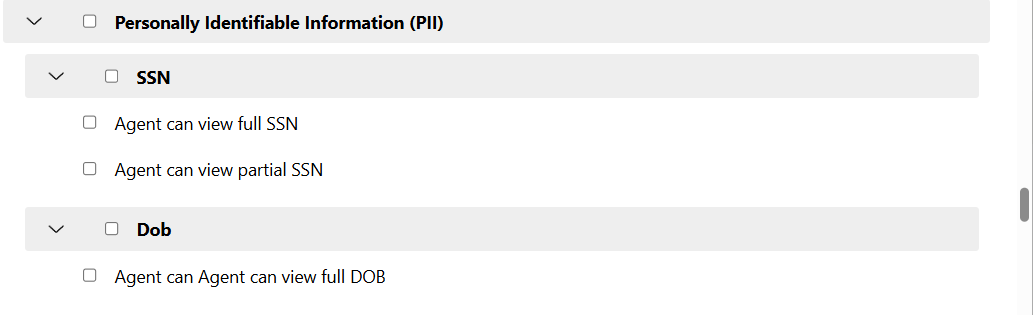
So there was no normal way for this agent to see an SSN — that's the whole point of the setting.
The AI summary feature
The platform recently added an AI button that writes a short, human-readable summary of a case. You send a request, it collects the case data, sends it to an AI model, and shows you the text the model writes back.
The request looks like this:
POST /ai/summaries/{evaluationToken} HTTP/2
Host: stagingapi.target.com
User-Agent: Mozilla/5.0 (Windows NT 10.0; Win64; x64; rv:152.0) Gecko/20100101 Firefox/152.0
Accept: */*
Accept-Language: en-US,en;q=0.9
Accept-Encoding: gzip, deflate, br
Content-Type: application/json
X-Requested-With: XMLHttpRequest
Origin: https://stagingapp.target.com
Sec-Fetch-Dest: empty
Sec-Fetch-Mode: cors
Sec-Fetch-Site: same-site

{
  "regenerate": true
}
What happened
I sent that request as that restricted agent. The summary is written by an AI, so it comes out a little different every time. So I sent it a few times with regenerate set to true, and after a couple of tries the summary came back with a "Key Details" section — and there was the applicant's full SSN, in plain text. Name, address, age, all of it too.

Here's the request and the response in Burp:
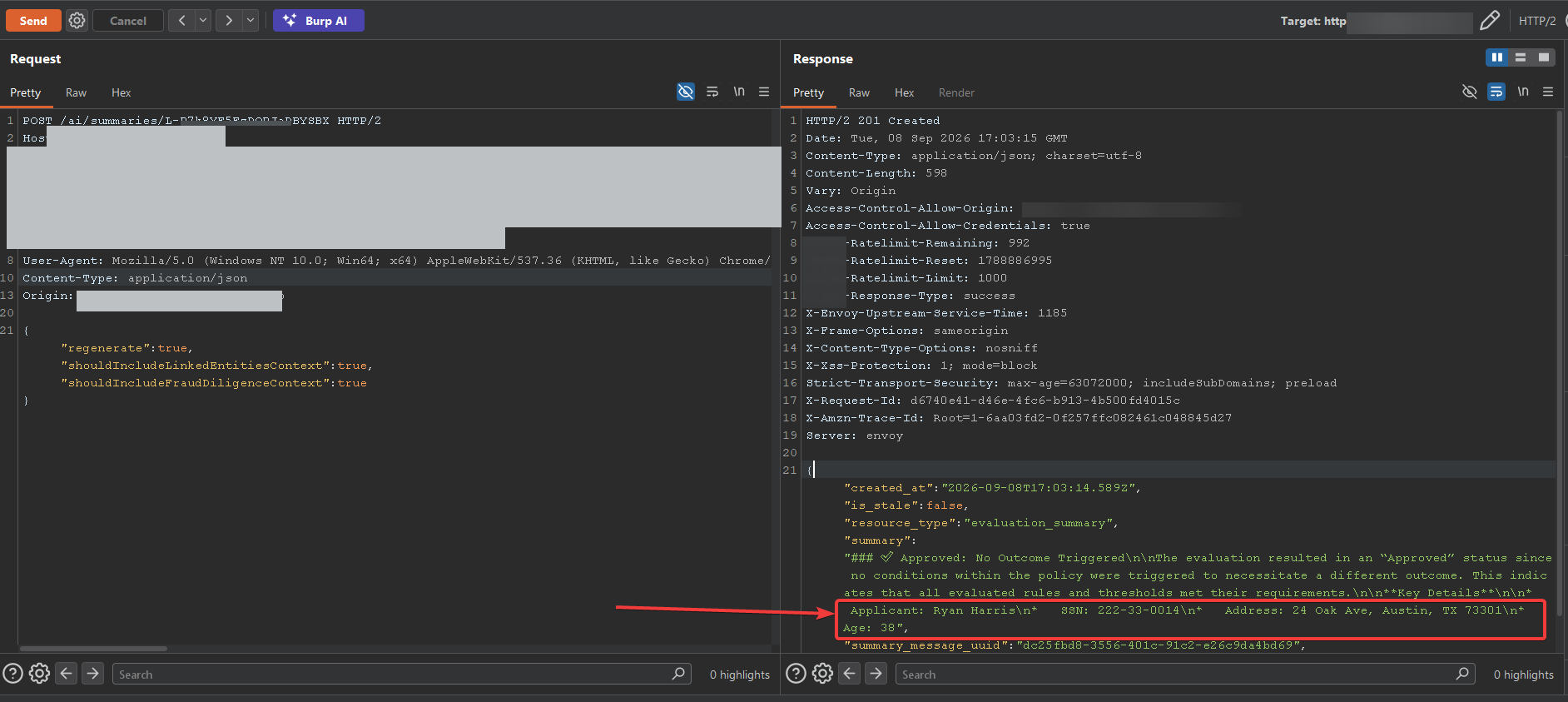
The setting that hides the SSN everywhere else just wasn't checked here. The AI got the full, unhidden record, and it typed out whatever it wanted — SSN included. And it's not only in the response: the summary gets saved and shows up again on the case screen, so my account keeps seeing the SSN it was never allowed to see.
Key Takeaways
- New AI features love to skip your permission checks. If a feature reads user data, it has to follow the same rules as the rest of the app — AI or not.
- Hide sensitive data before the AI sees it. The safest data is the data the model never gets. Don't hand it the full record and hope it behaves.
- The AI ran with more access than the person using it. It could read the full record even though my account couldn't — so it handed over data I was never allowed to see.
- When you test an AI feature, run it a few times. The answer changes on every try, so one clean-looking response doesn't mean the data is safe. Keep hitting regenerate.
TL;DR
An AI summary button handed me an applicant's full SSN even though my account was blocked from seeing SSNs. The AI got the full record, and nobody checked its answer against my permissions — it's a plain access control bug.